Download Greyscreen
One small .exe for Windows. Free, open source, and installs to your user folder without admin rights. Greyscreen is in public beta, so expect rough edges.
Latestv0.1.20-preview.28 PreviewNov 27, 202635.5 MBRelease notes
Requirements
- Windows 10 (version 2004 or newer) or Windows 11, 64-bit
- A GPU with hardware H.264 encoding is recommended. Most NVIDIA, AMD and Intel GPUs from the last several years have one. Without it, Greyscreen falls back to Windows' software encoder at up to 1080p 30 fps, which uses more CPU. Tested mostly on NVIDIA so far.
- League of Legends set to Borderless or Windowed. Windows cannot capture exclusive Fullscreen.
Windows may warn you
- Windows may show "Windows protected your PC". The .exe is not code-signed yet, so Windows does not know it.
- Click "More info", then "Run anyway".
- To check what you run, read the source on GitHub.
On Windows 11 with Smart App Control turned on, Windows can block the file with no "Run anyway" button. Turn Smart App Control off in Windows Security, or wait for a signed release.
First run
- Run the downloaded
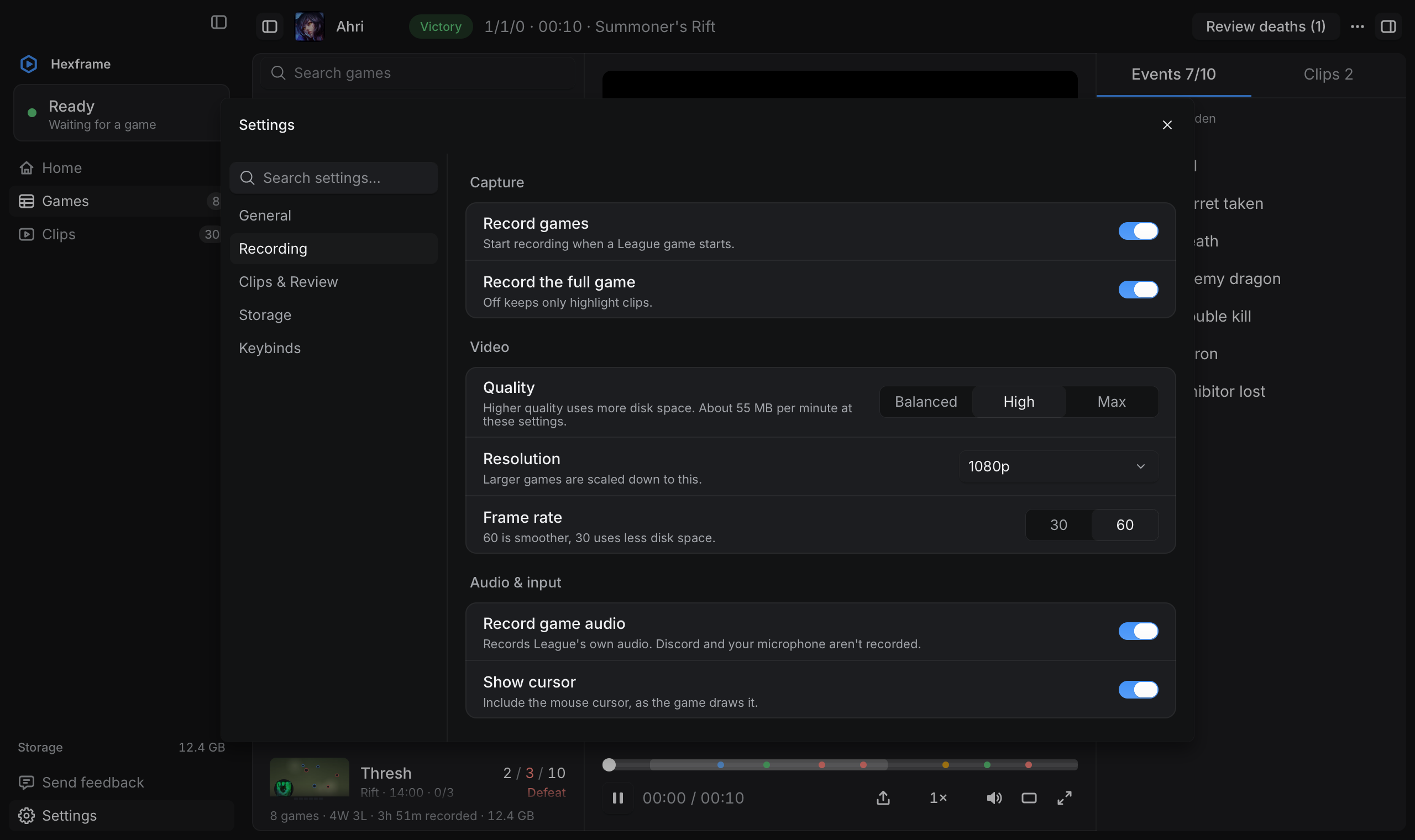
.exe. It installs Greyscreen in your user folder with a Start Menu entry and an uninstaller. - In Settings, pick your quality, frame rate, cursor option, and whether Greyscreen starts with Windows.
- Set League to Borderless, leave Greyscreen in the tray with "Record games" on, then start a match.
Command-line tool
Use greyscreen-cli.exe to check your encoder (greyscreen-cli doctor) or run a 10-second test recording (greyscreen-cli record --seconds 10).